
1. Open the order and scan
Log in to OnlinePOS with your server ID and open the table/order.
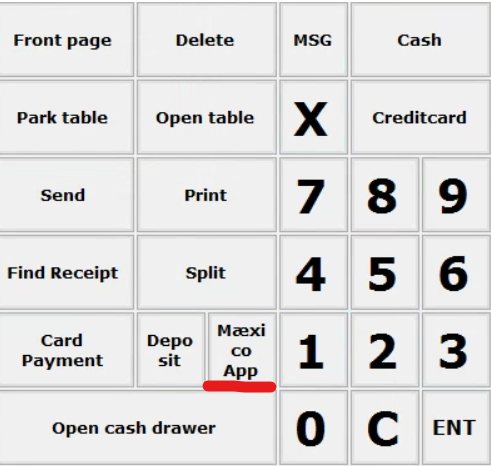
Press the tab ‘Mæxico App’. When done, the POS UI will look like the screen below.
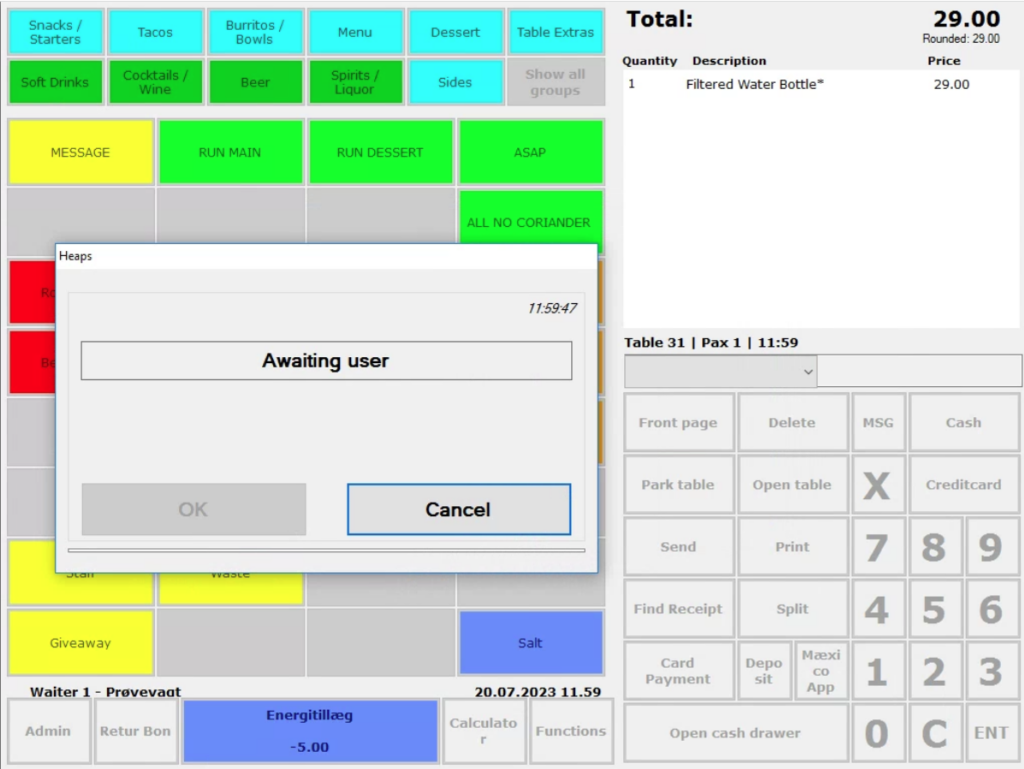
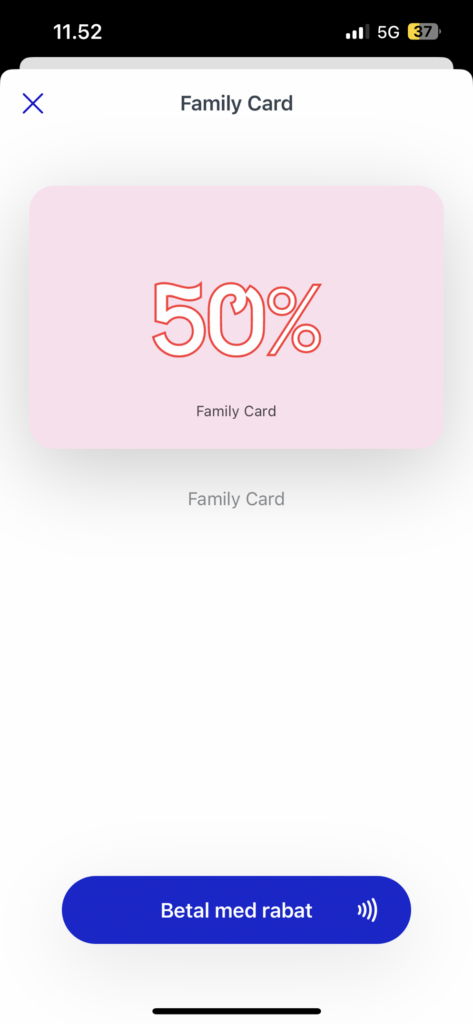
Tell the guest to pull out their smartphone and open their voucher/card.
Here they select ‘pay by card/discount’ as pictured below:
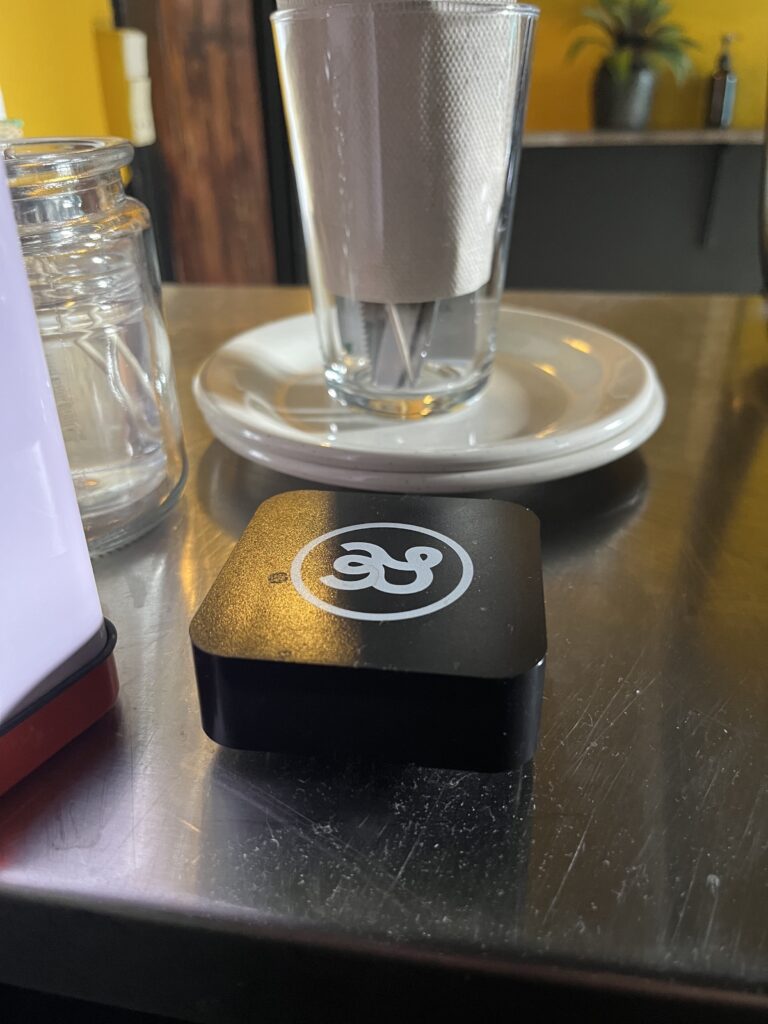
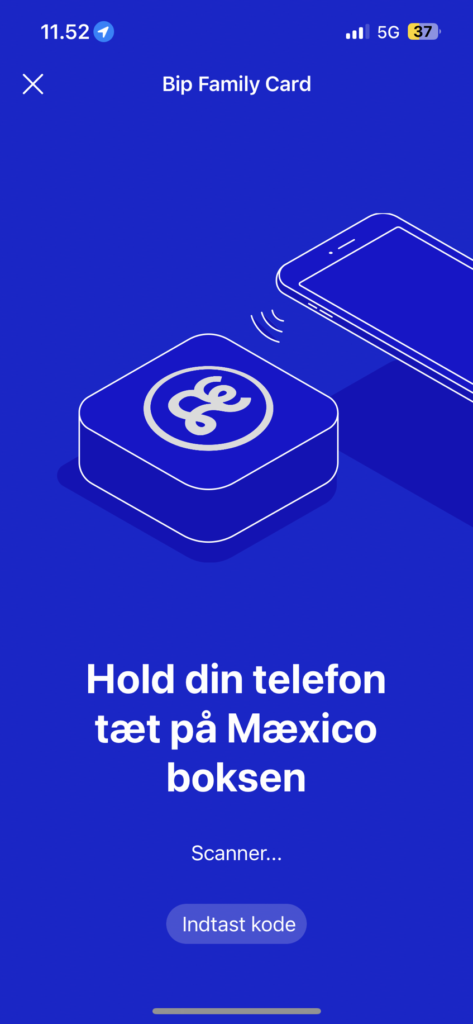
The guest will need to hold their smartphone close to the box pictured below:
Before the box picks up the signal from the smartphone, the screen on the smartphone will look like this:
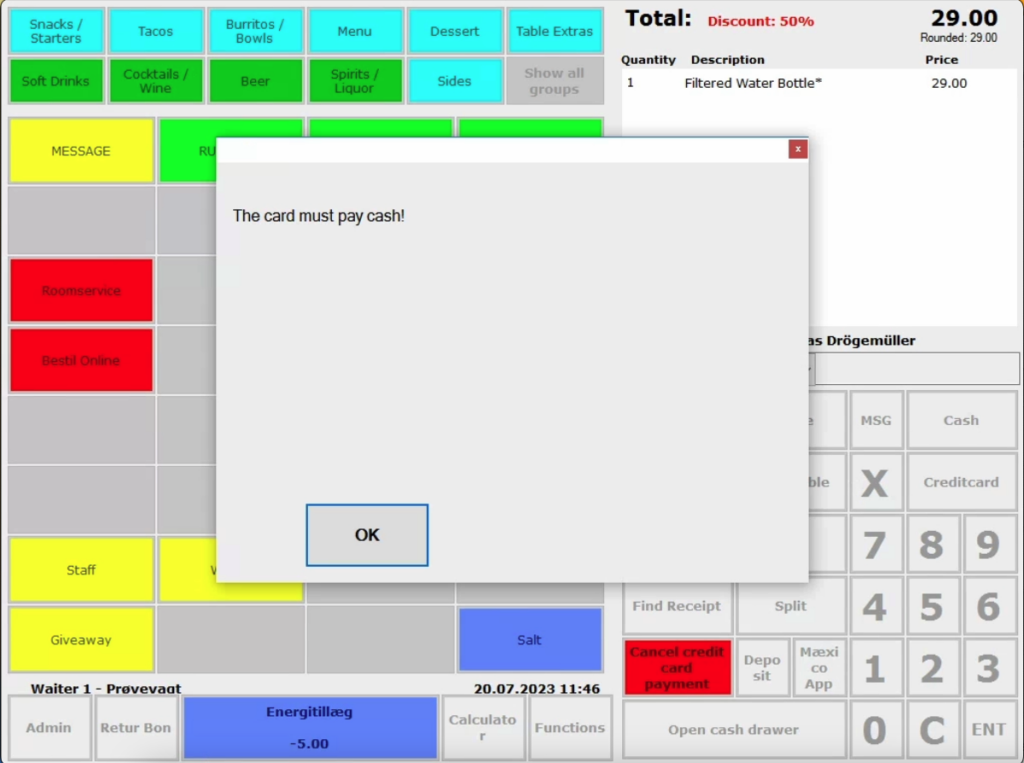
If the guest want to pay with a card and not a voucher, the below writing will appear when the box picks up on the signal from the smartphone. Press ‘OK’.
When the payment is ready to be made on the smartphone (after the phone has buzzed), the screen will now look like this:
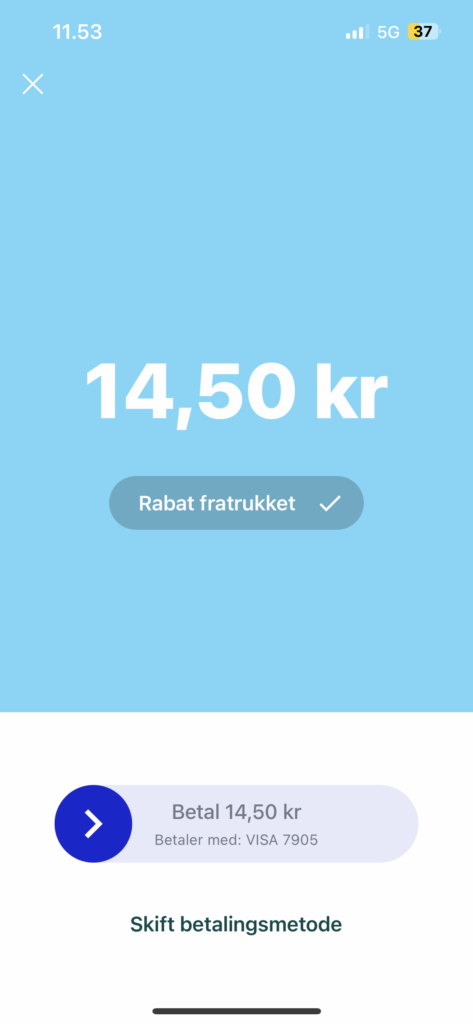
From here, the guests swipes and pays with their voucher or card
On Pos it will look like this when it’s a voucher:
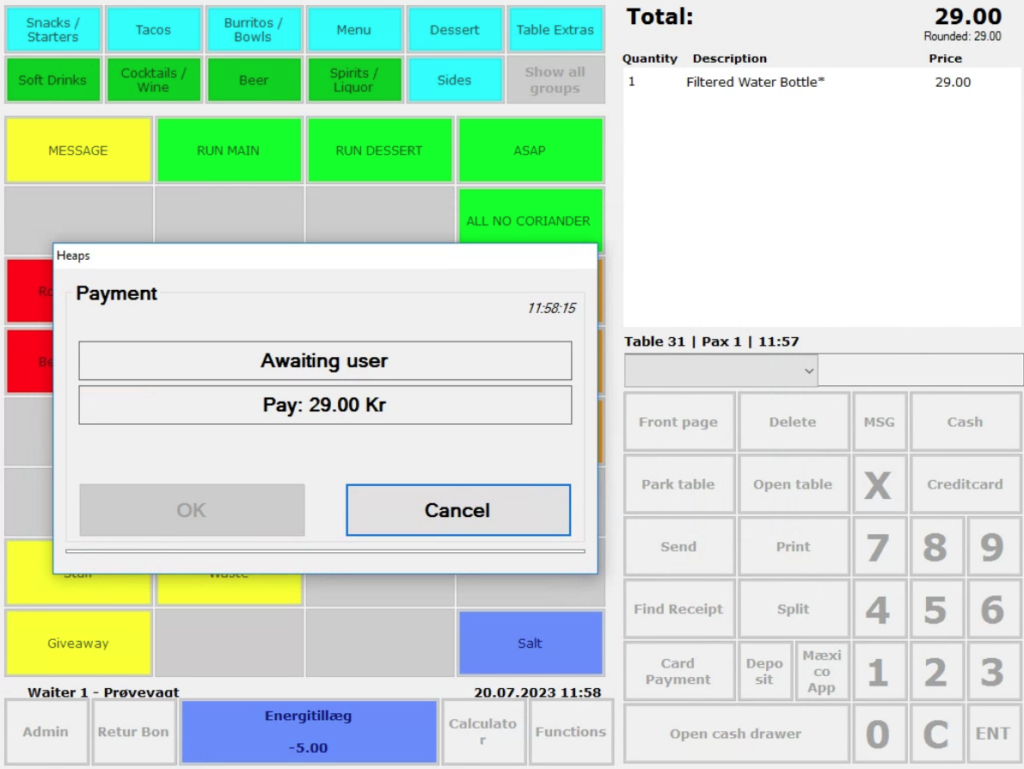
And like this when on a card:
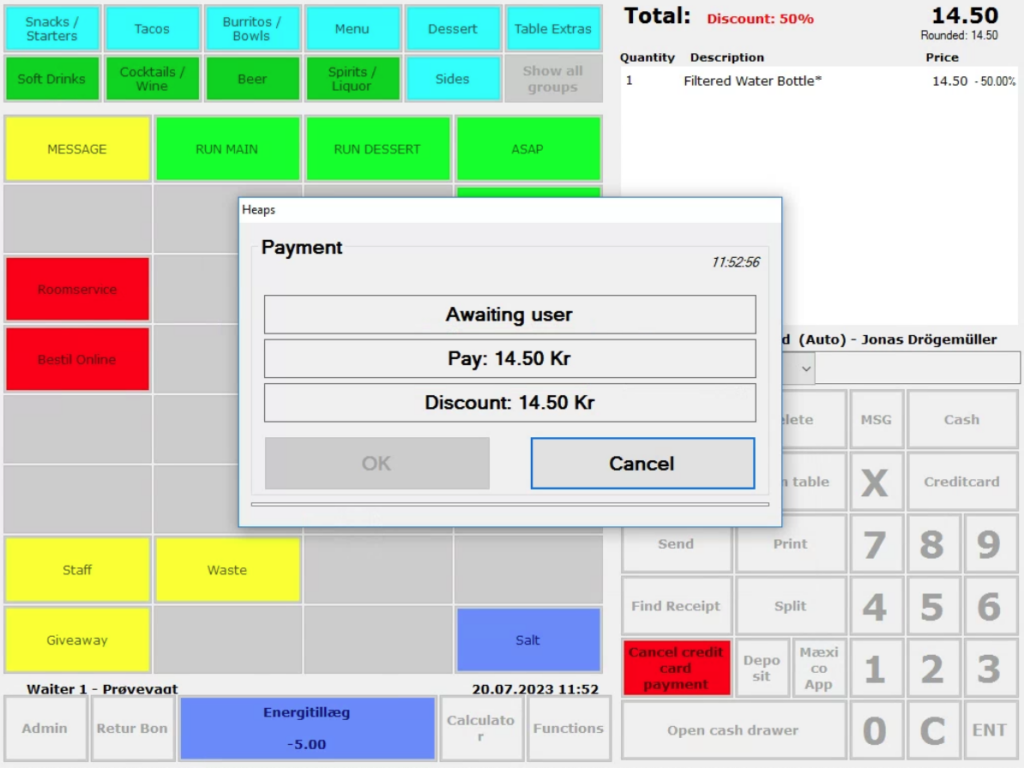
When the transaction is completed, you will get the following message on POS
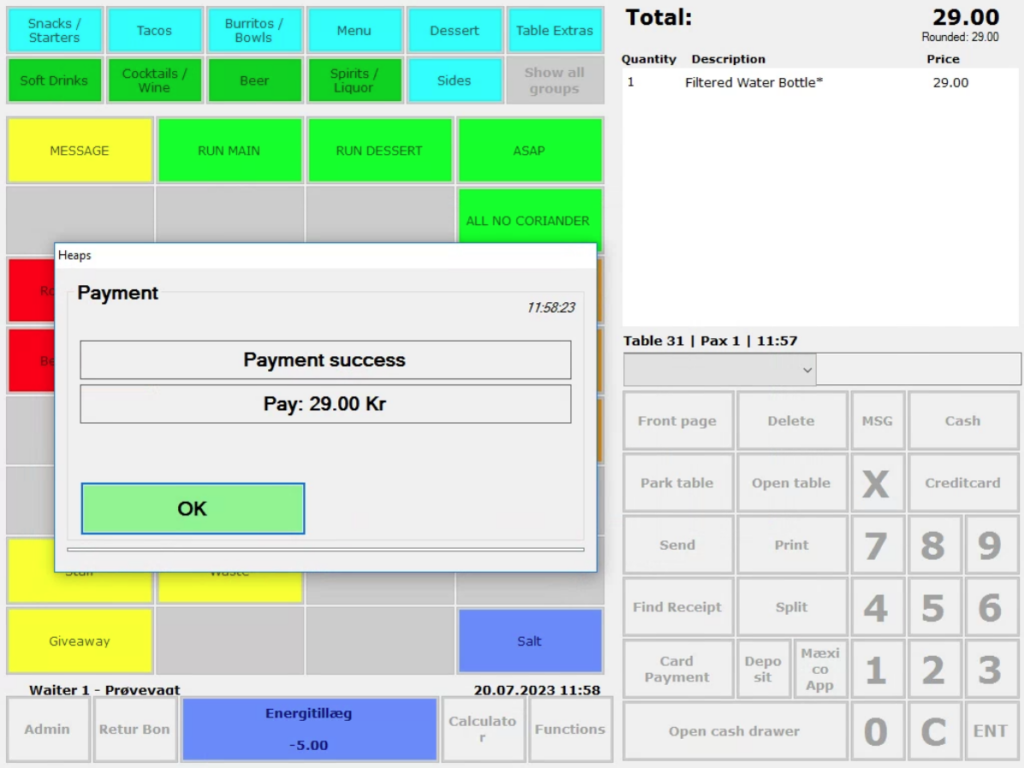
2. Benefits applied
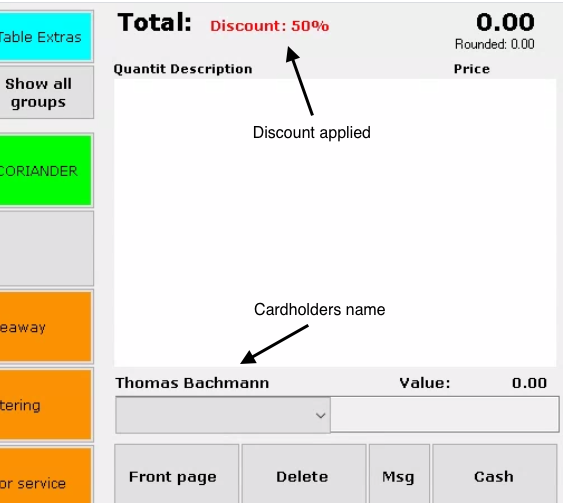
OnlinePOS automatically applies the appropriate discount, changed price, credit, or reward.
Additionally, the cardholders name will be presented on the POS screen.
OBS! if it is a Friend card the price will change on the products! No discount percentage will show.
Issues?
If you run into unclear waters, please contact your manager or the HQ.
